Setting Up Email Notifications for Expired Social Media Accounts in the Social Planner
The Social Planner is where you can host your social accounts such as GMB, LinkedIn, Facebook, and Instagram. Each social account has a ‘token’ which maintains its integration to LANA. Various platforms have ranging token expiration dates - for example Facebook has a 90 day limit while LinkedIn has a 60 day limit. A token may also expire if a password is reset for a social media account.
In order to maintain the tokens, accounts may need to be reconnected from time to time. This can be done based on a notification or by manually visiting the Social Planner settings section.
Follow along to learn how to create email notifications for expired accounts in order to stay on top of the connections in your Social Planner:
- Navigate to the Social Planner
- Click into the Manage Social Accounts section (using the gear icon)
- Click the blue hyperlink in the top left corner - “Setup email notifications for expired Social Media accounts”
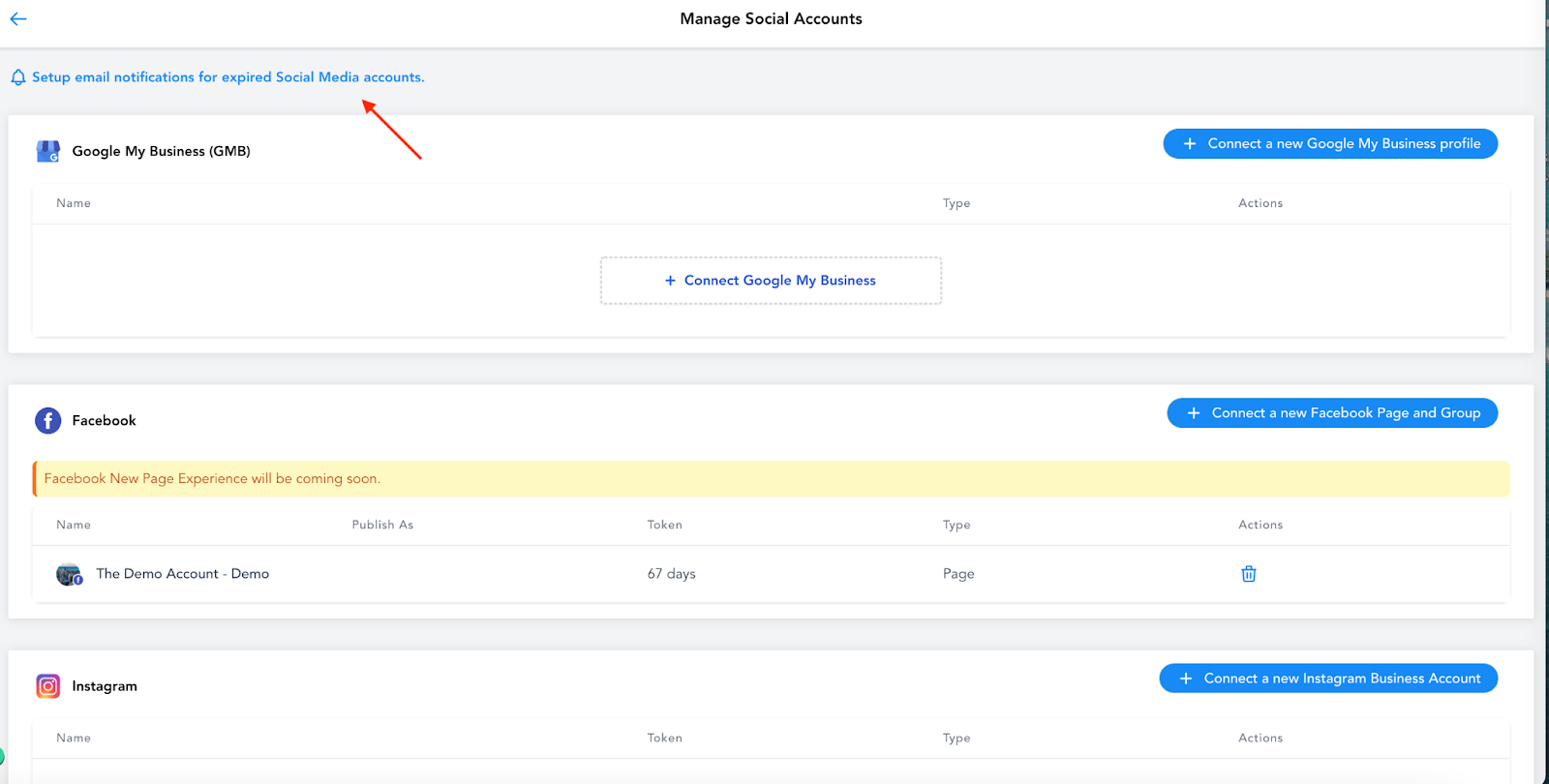
- In the popup window that appears, choose the User(s) to notify, and the frequency of notifications.
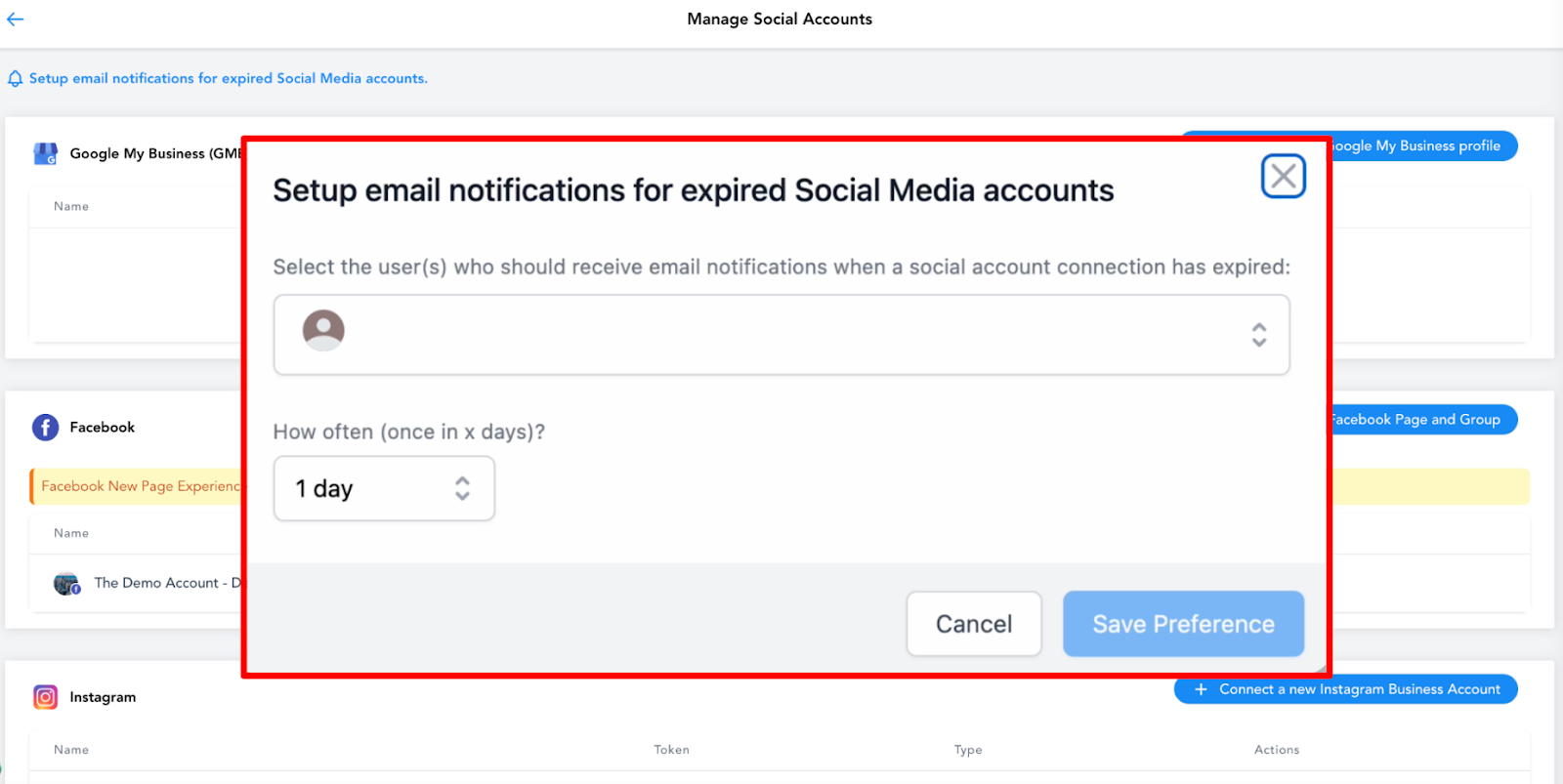
- Save your changes and you’re all set!
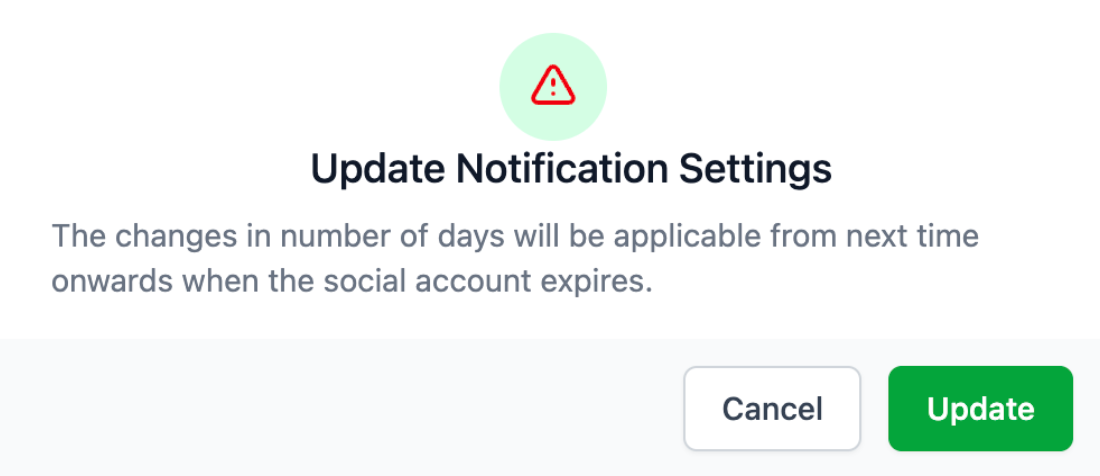
NOTE: If you change the # of day reminders, this will be applied for the next time the account expires.
Related Articles
Using the Social Planner Social Media Tool
Use our Social Planner social media tool to keep all your social media managed in one spot. With this feature, you can manage your social accounts, save time by scheduling posts, and learn what your social media audience thinks. Follow these steps to ...Connecting Your Instagram Business Account to the Social Planner Social Media Tool
You can connect an Instagram business account to use in the Social Planner Social Media Tool. With this feature, you can manage your social accounts for Instagram, Google My Business (GMB), and Facebook all in one place. You can save time by ...Creating Posts in the Social Planner Social Media Tool
Within the Social Planner tool for managing your social media, you can create posts to share across one or multiple accounts. You can send the posts off immediately, or schedule them to post at a later date and time. NOTE: that you need to integrate ...Social Planner Analytics Update
Social Planner Analytics Update We’re thrilled to introduce enhanced analytics for your Facebook and Instagram accounts in our latest platform update! Now, you can gain deeper insights into your social media performance across various key metrics. ...How to Connect to Your Google My Business Page for Use in the Social Planner
The Social Planner tool allows you to connect multiple social media accounts and manage them in one area. By connecting your Google My Business (GMB), you can use the Social Planner to schedule, create, and push out posts to your Google My Business ...