Instagram Direct Messaging Integration
Instagram Direct Messages (DMs) are a great way to communicate with leads and contacts. Now you can integrate your Instagram account to LANA, to give you additional options for automating Triggers and communicating directly with leads in the Conversations tab. Follow the steps below to learn how to integrate your Instagram account for DMs.
Step 1: Connect your Facebook and Instagram accounts
- In order to use Instagram Direct Messaging, you’ll need to have the Instagram Account connected to a Facebook page. Click here to learn for Instagram’s instructions on how to do this: How To Link Instagram and Facebook
NOTE: You will also need to ensure you have properly enabled your Instagram messaging connection across other apps and systems. This is done through Facebook/Instagram directly, within your settings. Check out Facebook/Instagram’s article on how to ensure your settings are properly enabled to take advantage of this feature. Click here to access the Facebook/Instagram details: https://www.facebook.com/help/instagram/791161338412168
Step 2: Integrate your Facebook and Instagram accounts into LANA
- Navigate to Settings > Integrations
- Click Connect under your Facebook and Instagram to connect both. (To start, the icons will both be grayed out; they’ll turn colorful once the integration is complete.)
NOTE: If you already have Facebook integrated, the “F” icon will be highlighted in blue, as shown below.
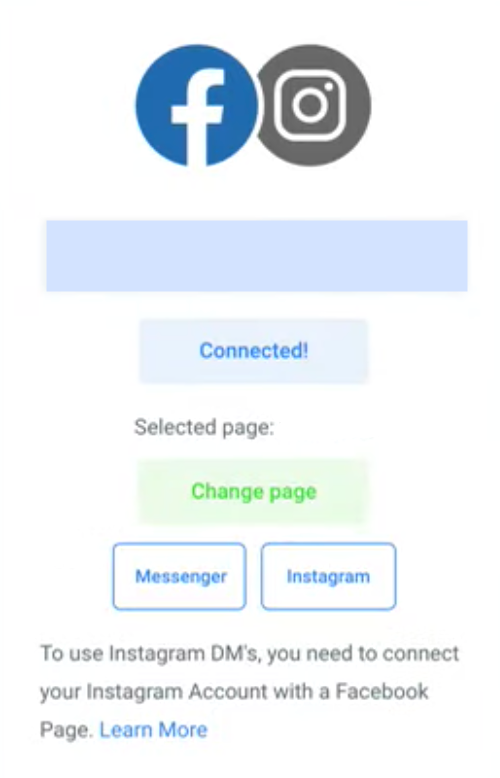
- Follow the instructions in the pop up window to complete the integration. You may need to log in to your Facebook and/or Instagram account to accept the permission requests and complete the integration.
Related Articles
Zoom Integration
The Zoom Integration feature allows you to generate unique meeting links for appointments within the Team Calendar section of LANA. (To learn more about setting up team calendars, check out our calendar tutorials.) If you yourself are your team, you ...How to Add Messaging to Your Google My Business Listing and Set Up Communication Notifications
Google My Business (GMB) is a powerful tool for reaching customers. It can be integrated with LANA, to increase your ability to conveniently communicate with your leads or customers. When someone Googles a category of business, most businesses that ...Customizing LANA Workflow Document - simPRO 2.0 Update
LANA x simPRO 2.0 Integration Workflow Document We’re thrilled to introduce the latest update to the simPRO 2.0 Workflow document! This update includes recent changes, and we’re here to guide you through maximizing the customization of your ...Manage Multiple Facebook Pages with LANA Software's New Integration Feature
Connect Multiple Facebook Pages to Your LANA Software Account We’re excited to announce one of our most highly anticipated integration features: connecting multiple Facebook pages within your LANA Software account! This powerful update lets you ...Ascora x LANA Integration
A Seamless Guide to Integrating Ascora with LANA Introduction: Integrating Ascora with LANA streamlines your workflow, ensuring a seamless communication process between the two platforms. This guide walks you through the step-by-step process, from ...