How To Use Workflows to Assign Users to Leads
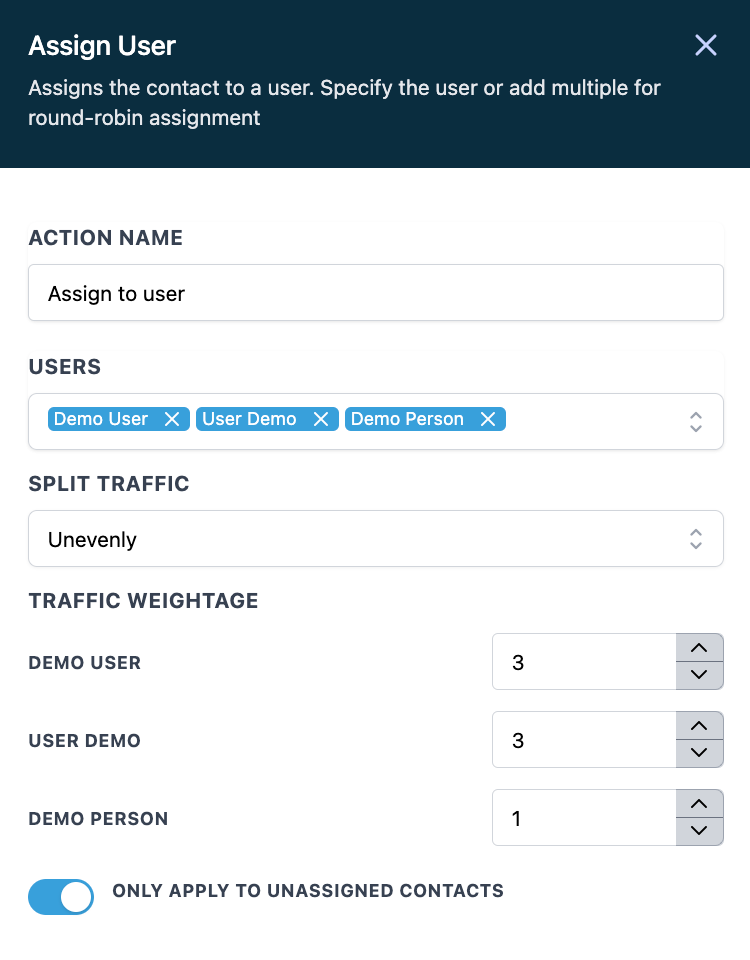
You may want to assign new leads to users within LANA, in a round-robin type of situation. Maybe you have a lead form, and when it’s submitted, you want the leads to be distributed to a sales team of users within your system. You can set up a workflow to distribute the leads however you’d like. In some cases, you may want to assign leads evenly, so if 9 leads came in and you have 3 users, each would receive 3 leads. Or, maybe you have 2 full time sales team members and one part time member, so you want less leads assigned to the part time employee.
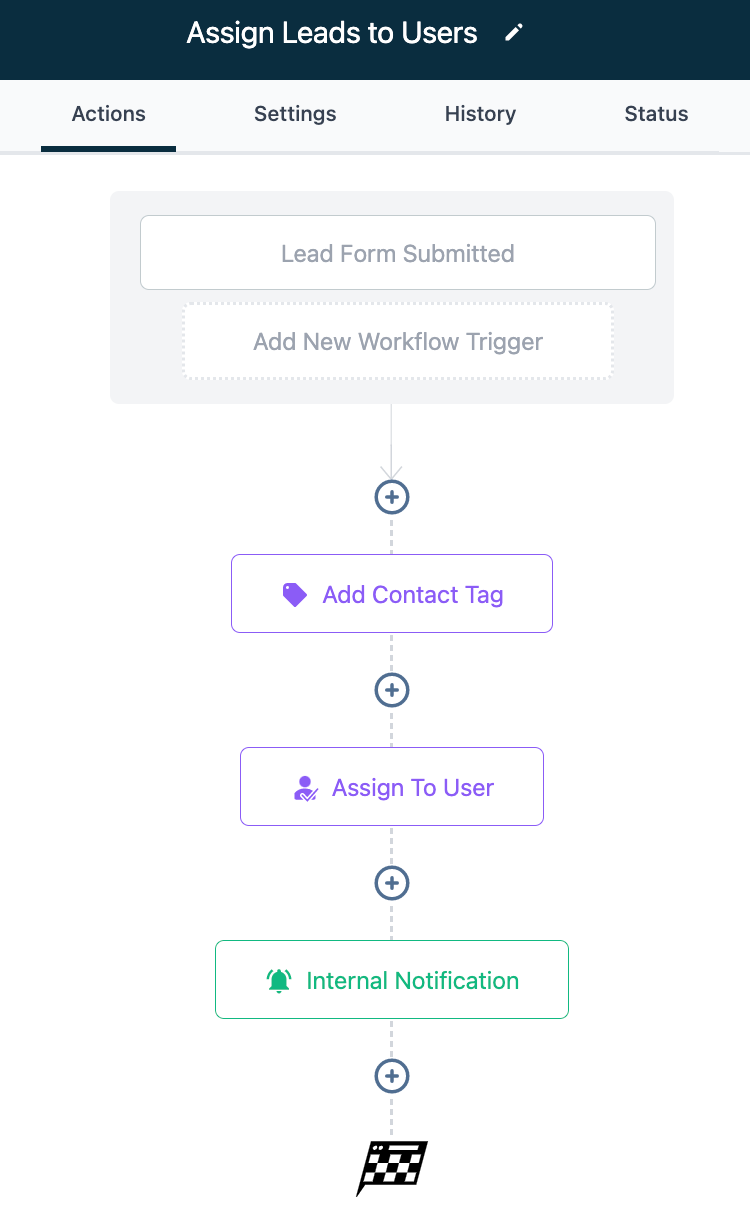
Here’s a sample of how to set up a Workflow to achieve this:
- Create a new Workflow in the builder.
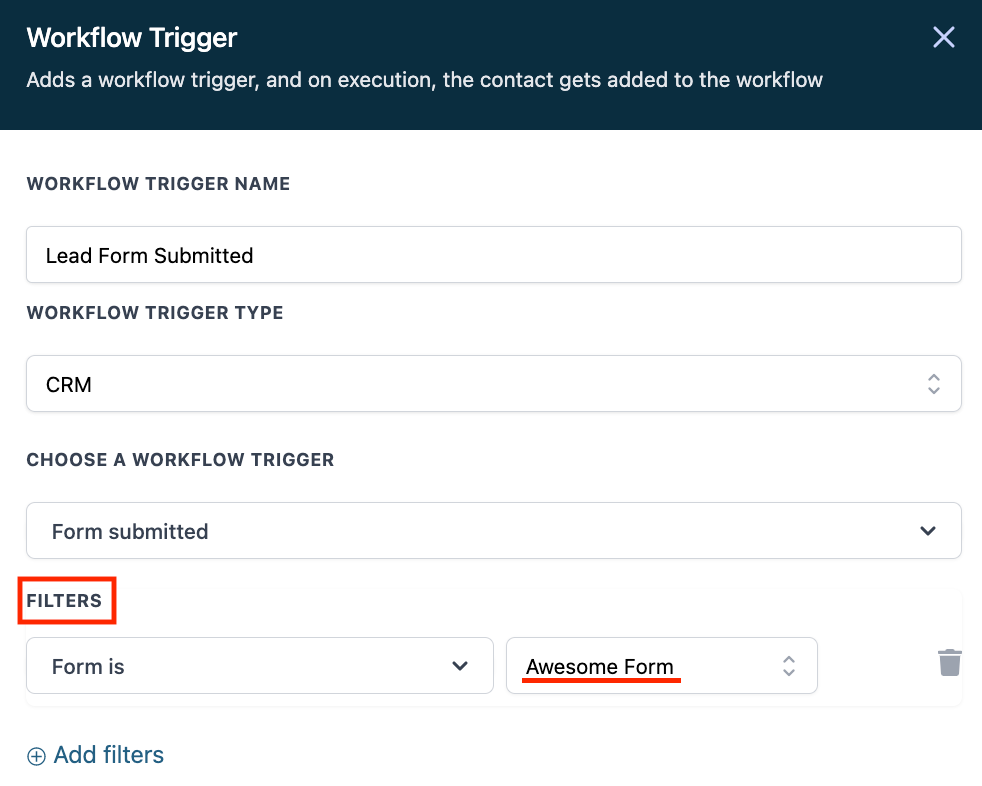
- Add a trigger to fire off the Workflow, such as “Form Submitted”.
- NOTE: Be sure to use the “Filters” to specify a form, otherwise the trigger will apply for all forms.
- Add any Workflow actions you’d like, such as a Contact Tag to track the leads, and any other desired actions.
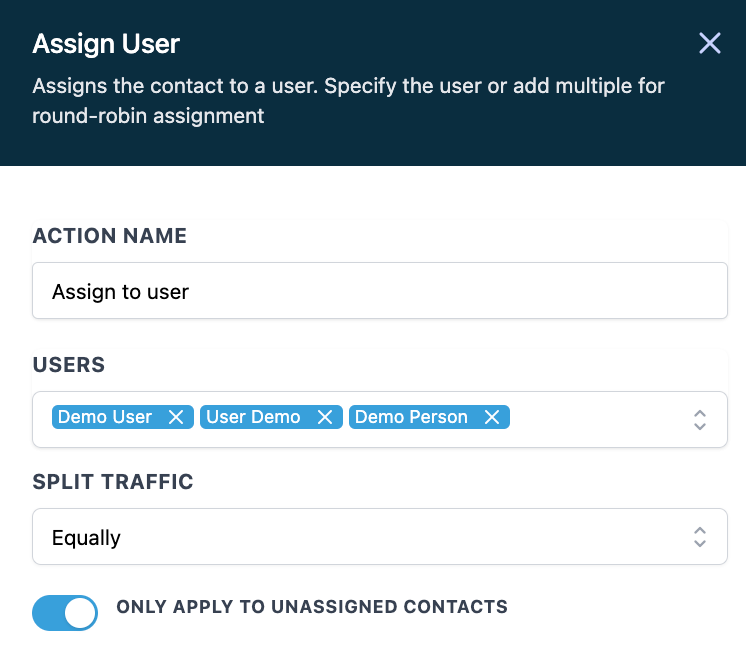
- Add “Assign to User” as an action. Choose the user(s) you want to assign the leads to.
- Under “Split Traffic” you can choose EQUALLY for an even distribution:
- Or you can choose UNEQUALLY for an uneven distribution. Set the ‘traffic weightage’ to whatever ratio you’d like:
- Save the action.
- Save and publish your Workflow for it to function.
Related Articles
How And When To Use The Event Start Date In Workflows
The Event Start Date action allows you to build automation around a specific date & time. Once you set the Event Start Date, the items in that workflow can be sent in relation to that day and time using the 'before' and ‘after’ actions. This is ...Customizing LANA Workflow Document - simPRO 2.0 Update
LANA x simPRO 2.0 Integration Workflow Document We’re thrilled to introduce the latest update to the simPRO 2.0 Workflow document! This update includes recent changes, and we’re here to guide you through maximizing the customization of your ...How to Set Up Email/SMS Notification When An Action Occurs Using Workflows
In this article, we’ll review the process for setting up email and SMS notifications in Workflows. Not only is sending texts or emails to leads/clients a great way to conveniently and efficiently communicate with them, but also it is a great way to ...How to Create and Use Workflows
This is an overview of the workflow builder. The workflow builder is a visual builder feature that allows you to combine trigger and campaign type features with some added functionality. Step 1: Access the Workflow Dashboard Navigate to workflows, ...Checking the Status of Workflows
Here's how to view and understand the Status of Workflows. Navigate to the Status tab within the Workflow Builder. Use the dropdown menus to sort and filter through the current statuses for your Workflow. Here, you can view the Contacts, Date Added, ...