How to get Conversion List for Google Ads in Trigger/Workflows
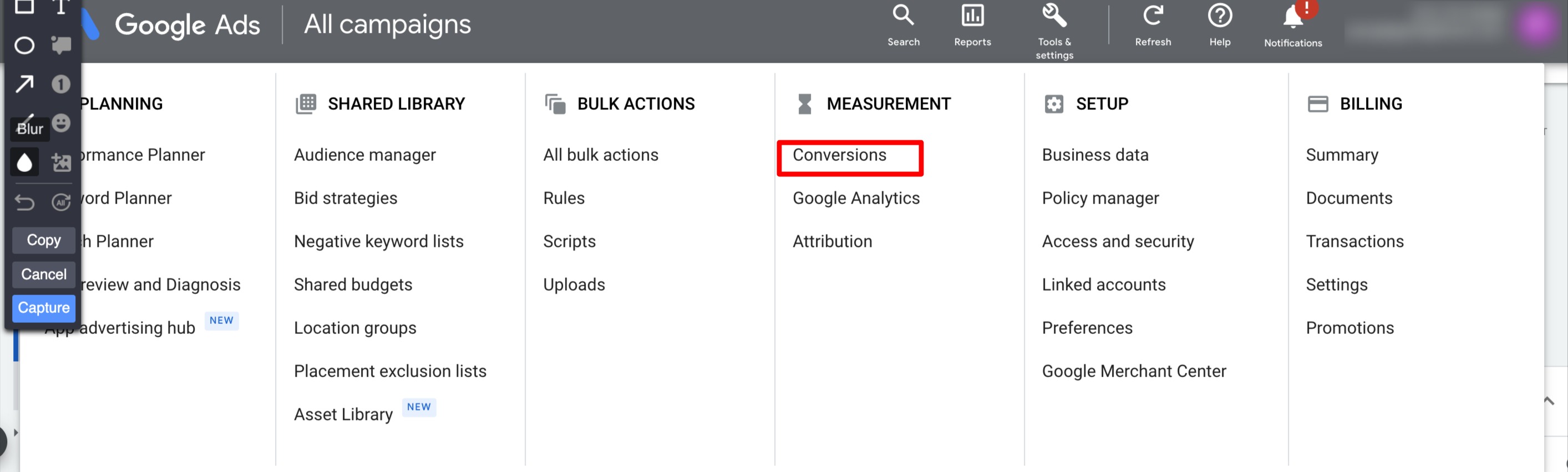
In your Google Ads Account, go to Tools and Settings.

Click Conversions in Tools and Settings
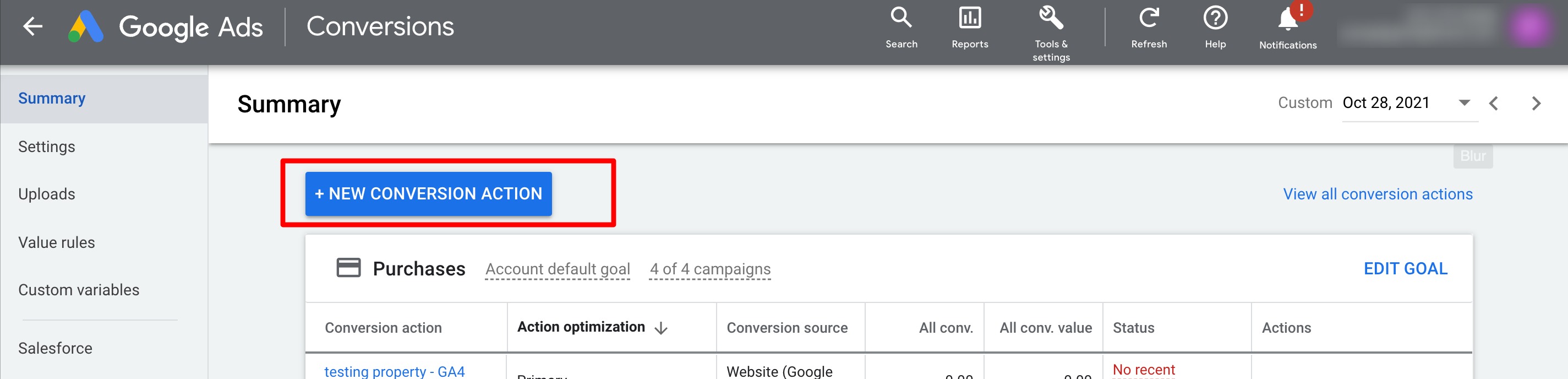
Next click the ADD CONVERSION ACTION
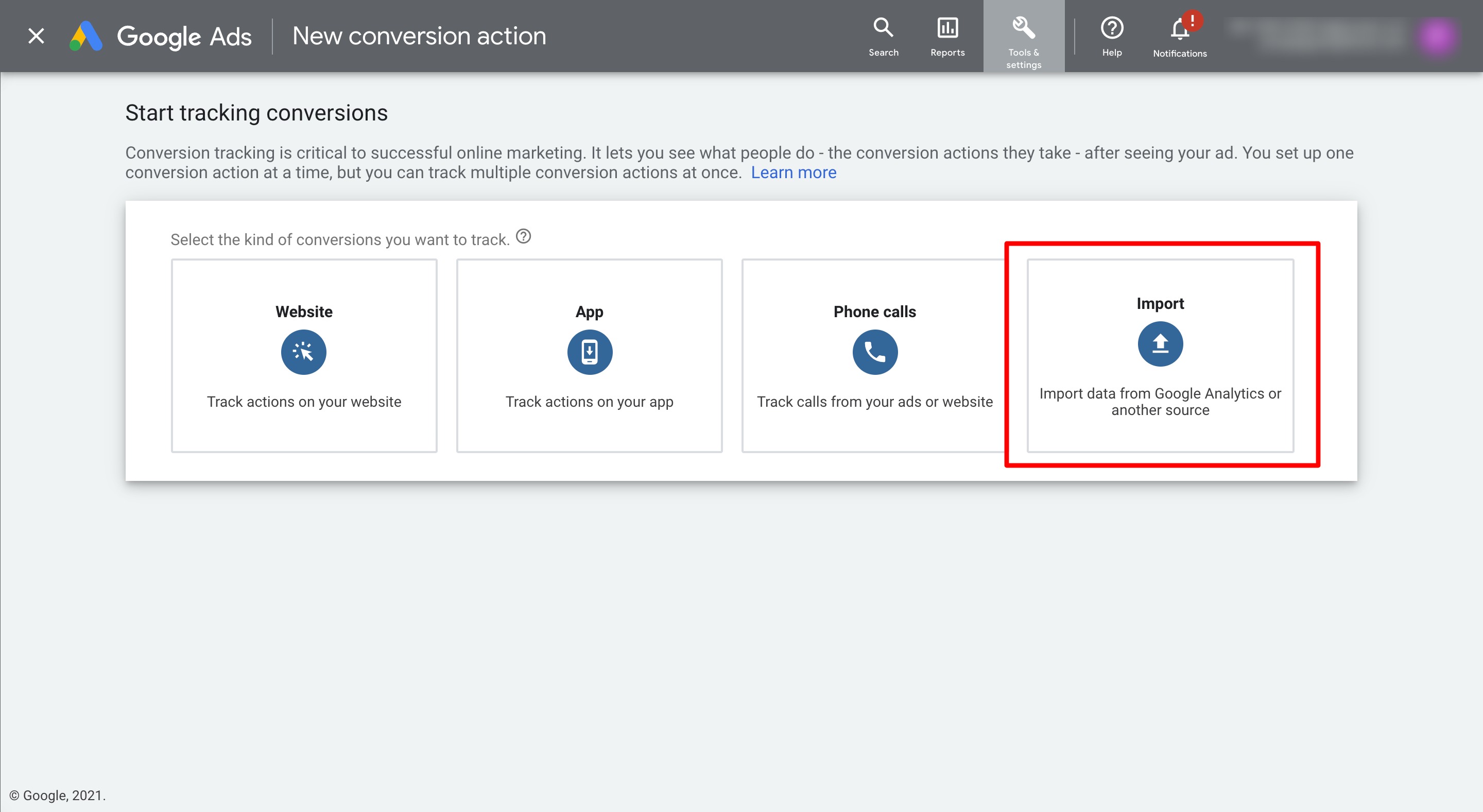
To start tracking conversion, we need to choose the import option.
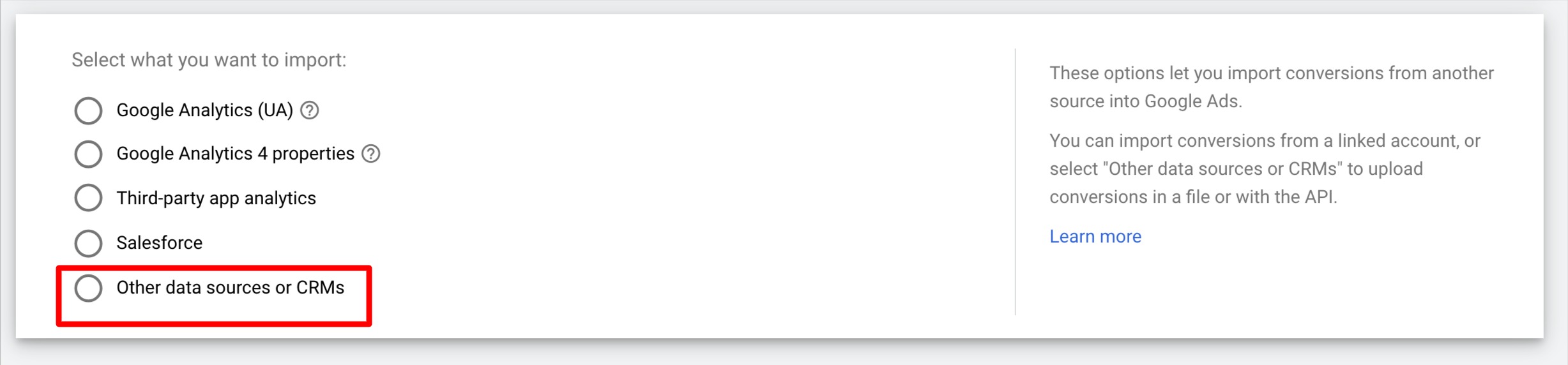
If you want to track the click on a page or track the call initiated by the user choose the
option to collect the conversion.

Please follow the steps to set up your goals.
We will need to select "Imported Lead" in the dropdown for the "Goal and action optimization" category.
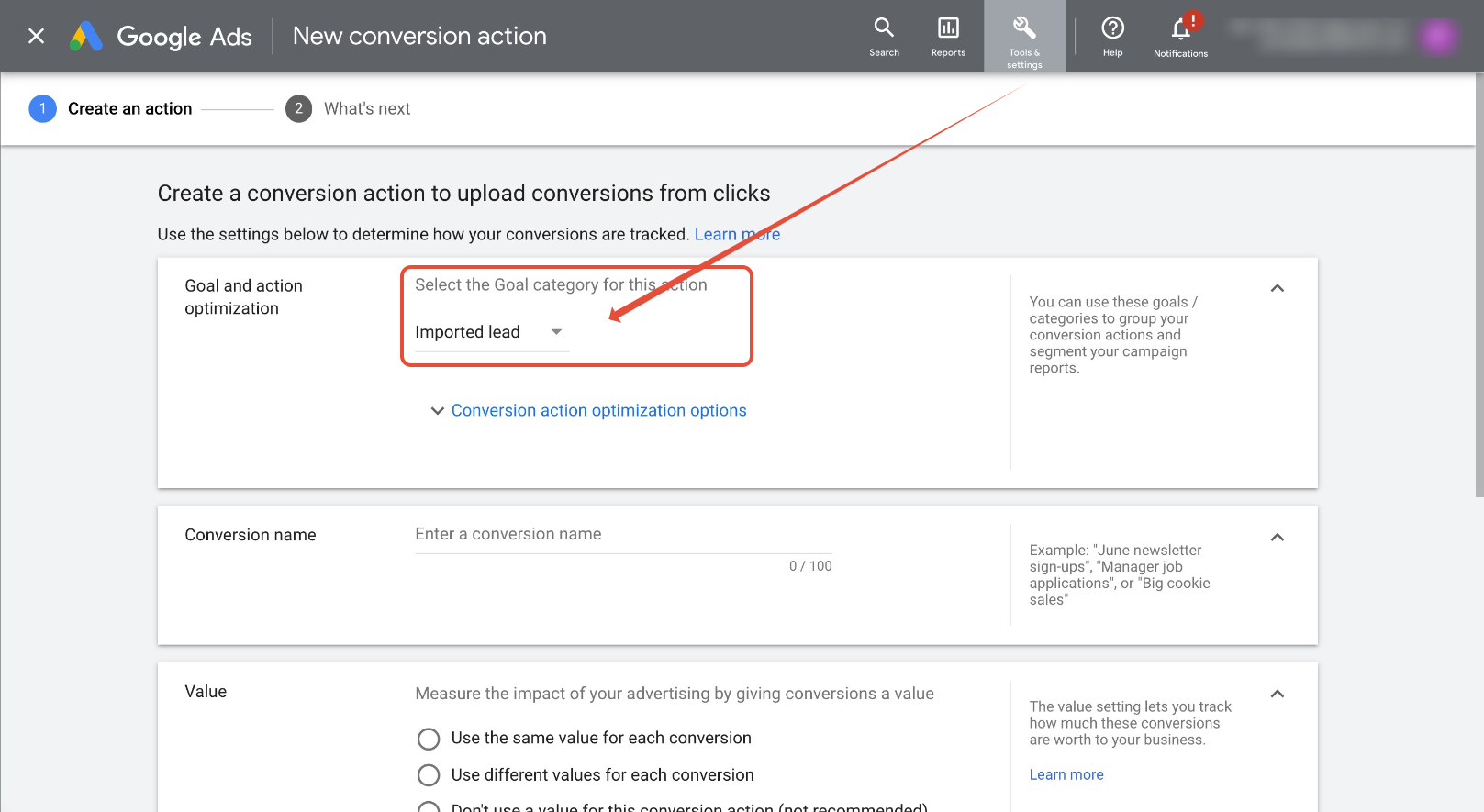
Next up is the conversion name. Please add a name
(You will need to enter this name exactly in Workflows).
Choose value for the conversion as same, different or don't use any value.

Next step is select the count, we would recommend to choose one.

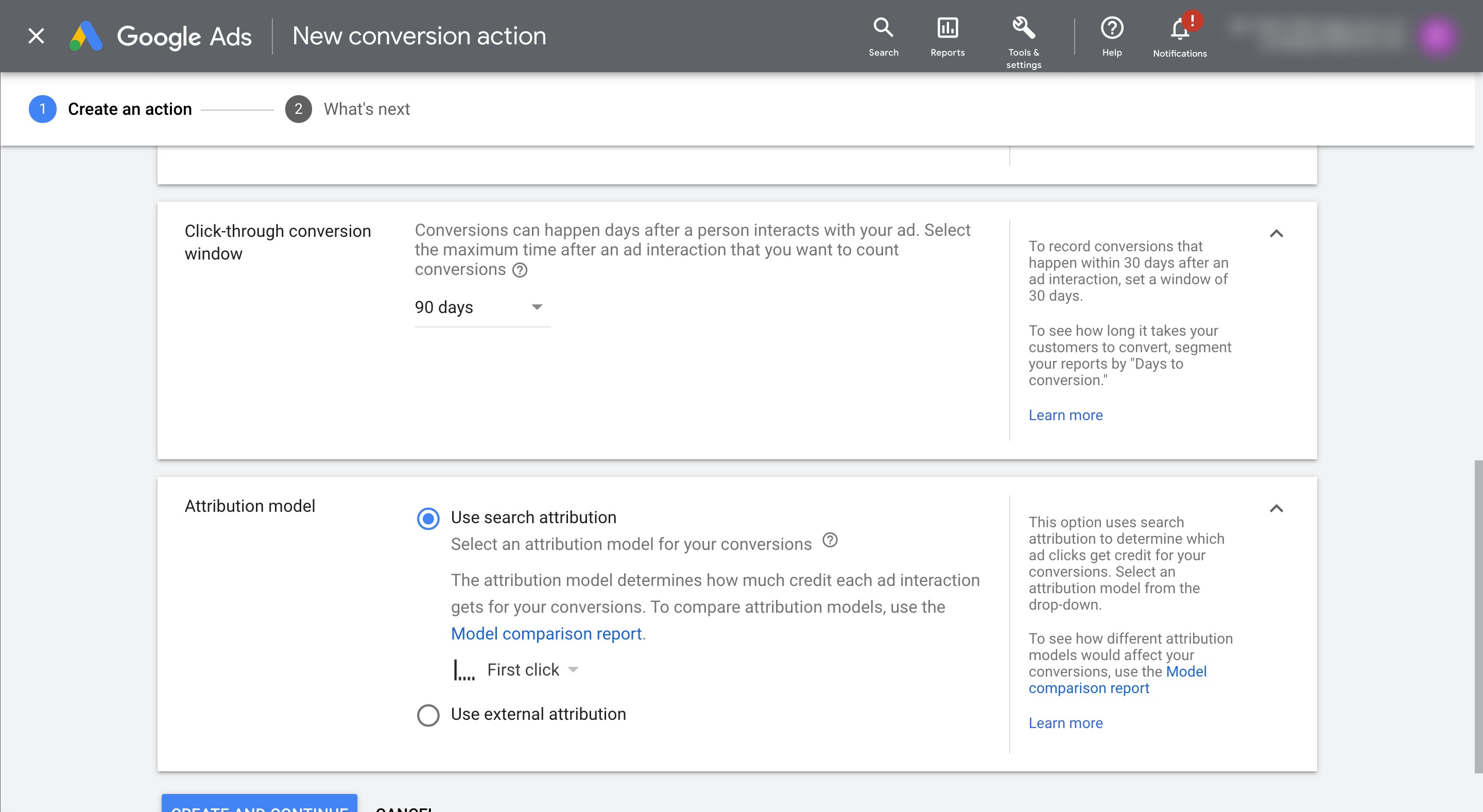
Next, set Click Through conversion to 90 days and set Attribution model as First click
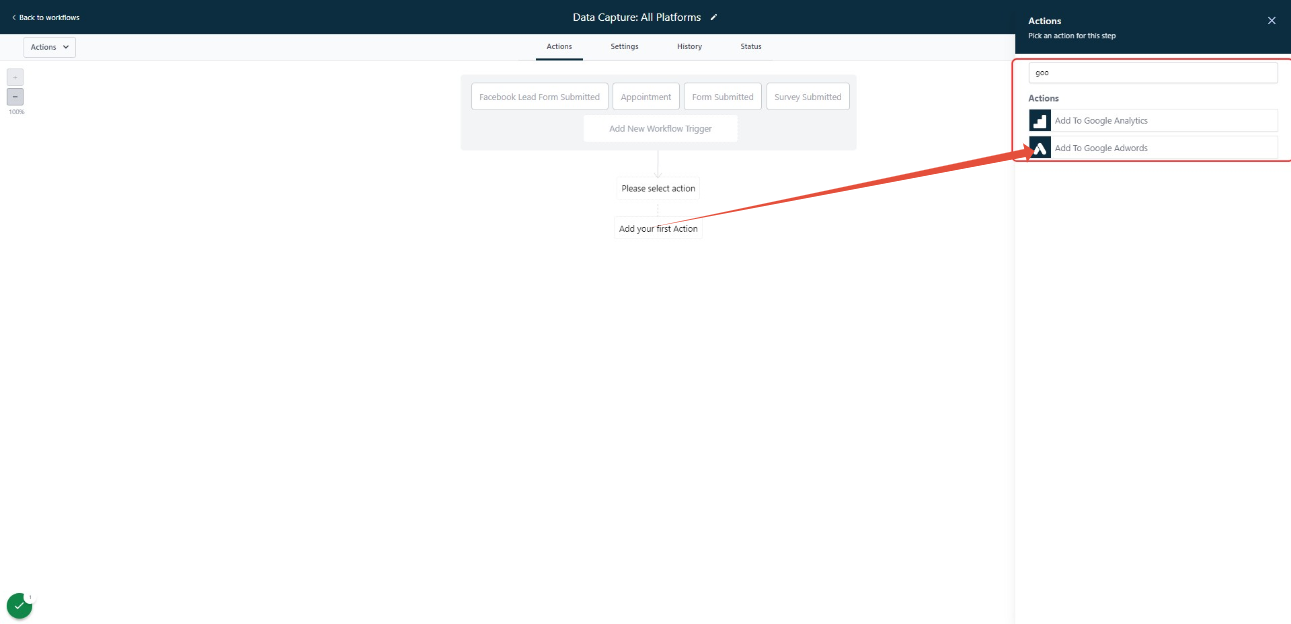
Next, navigate to your Workflow and add an "Add to Google Adwords" step.
For Conversion select "Other". Add the Conversion name exactly as named in the step above.
Click Save and Publish.
Please Note:
In-order for LANA to successfully pass a conversion to Google Ads, the contact/opportunity needs to have been created from a url that had a gclid parameter.
It will take approximately 24 hours to see the list populated in workfows and in Google Ads Conversions.
Related Articles
List of Workflow Actions
Within the Workflow Builder, you can add multiple actions to fire off in a series based on one or more triggers. Click the + icon anywhere in the Workflow to add an action. Below is a complete list of available actions: External Communications Send ...Google Analytics 4 Tracking
Google Analytics 4 (GA4) is the latest version of the Google Analytics platform that provides a more advanced and comprehensive view of user behavior across different platforms and devices. It offers cross-device tracking, machine learning-powered ...Google Analytics 4 Tracking
Google Analytics 4 (GA4) is the latest version of the Google Analytics platform that provides a more advanced and comprehensive view of user behavior across different platforms and devices. It offers cross-device tracking, machine learning-powered ...List of Workflow Triggers
Within the Workflow Builder you can have one or multiple triggers to fire off the workflow’s series of actions. Below is a complete list of workflow trigger options: Appointments Appointment Status: runs on all appointment status updates Customer ...Google Meet Calendar Integration
If you’d like to use Google Meet to connect virtually for appointments, check out this quick tutorial to get your account set up. You can simply integrate your Google account to LANA, and then set your User Availability for your meeting/appointment ...