How To Use The Universal Search Feature
The Universal Search feature allows you to quickly search for contacts, payments, and opportunities within LANA. You can easily click into any found entry, or create a new entry if the query yields no results. Check out these simple steps for how to use the Universal Search:
Step 1: Navigate to the dashboard menu.
- On the top left of your screen, you’ll see a search bar.
- Click into it and a popup will appear.
- In the popup window, you can type the query you wish to search for.
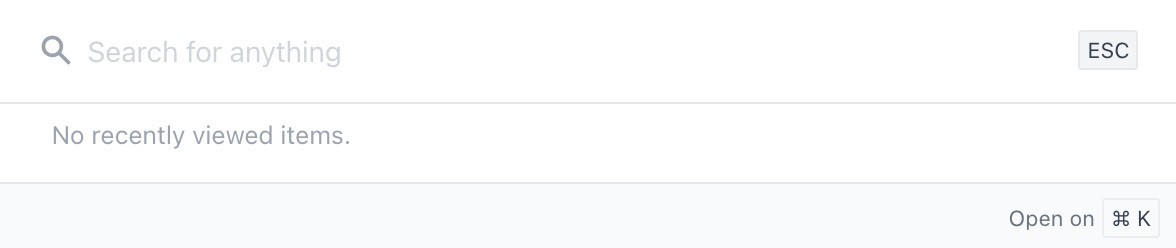
- In this example, we’ll search for “test”.
- On the left, you can sort the search by All Categories, Contacts, Opportunities, or Payments.

- Click into any found Contacts, Opportunities, or Payments to quickly navigate to the page with the appropriate information.
- Return to the search bar and repeat this as many times as you need to.
Step 2: Add a Contact or Opportunity from the Search tab
- In both the Contacts and Opportunities tabs, if your search doesn’t yield a result, you can create a new contact or opportunity right from here.
- Click the “add” hyperlink that appears within the tab, and fill out the appropriate information for the contact or opportunity you wish to create.

Related Articles
Using The DND Feature
The DND “Do Not Disturb” feature allows you to maintain Contact records, staying in communication with your Contacts as they wish for you to do so. You may have contacts who unsubscribe from emails or SMS communications, but you still want to keep ...How to Use the Dialer Feature for One-Time Outbound Calls
Using LANA as a “softphone” for outbound calls is an excellent way to communicate with leads for one-time calls or for calling through lists. This article will cover calling specific contacts for one-time calls. Please see other articles related to ...How to Use the Email Builder
Go to "Marketing" > "Emails" > "Templates" Here, you can create a new template. Or edit an existing one. Navigating the New User Interface Upon accessing the Email Builder, you will be greeted by a sleek, intuitive user interface. On the top, you ...Shift + Enter Feature
Overview The New Shift + Enter feature allows you to skip a line without the need to hold the shift and enter key. This will allow for swift text creation without the worry of sending the text prematurely. How to activate To activate this feature ...Lead Duplicate Contact Feature
Client who have Jobs Management Software usually encounters an issue with a duplicate contact. However, allowing duplicate contact on LANA is a must because most of the time they will create multiple quotes or job for an existing contact. LANA will ...