How to enable and rebill LC Email Validation
Email Validation is a process that checks if an email address is deliverable. In other words, this tool determines if it’s possible to deliver mail to that email address before you send an email.
Please Note: Email Validation feature is only for LC and Mailgun users.
How to enable Email Validation
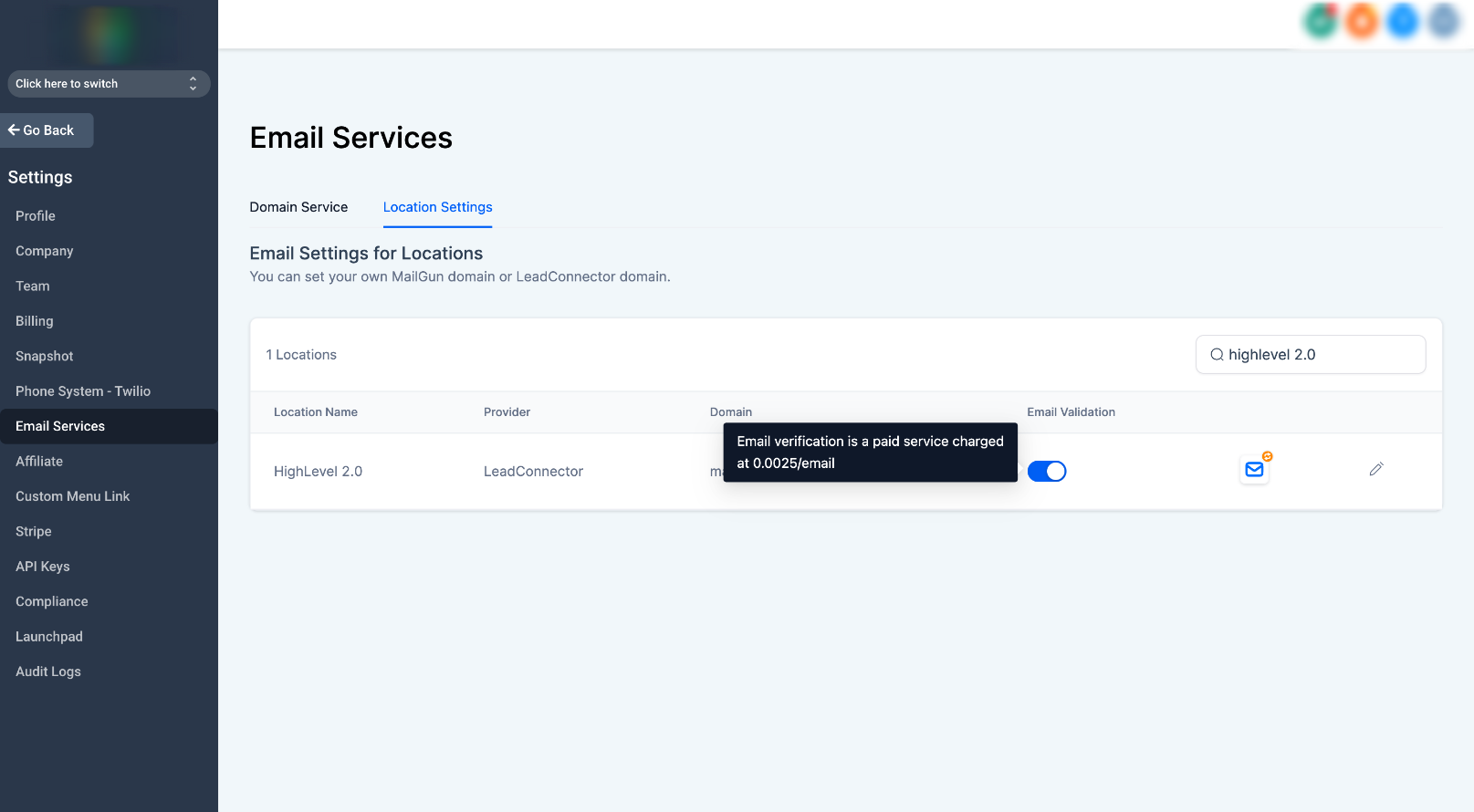
- Navigate to the agency settings page and click Email Services.
- Open the Location Settings Tab
- Enable the Email Validation Switch for sub-account.
Enable Email Validation Re-billing
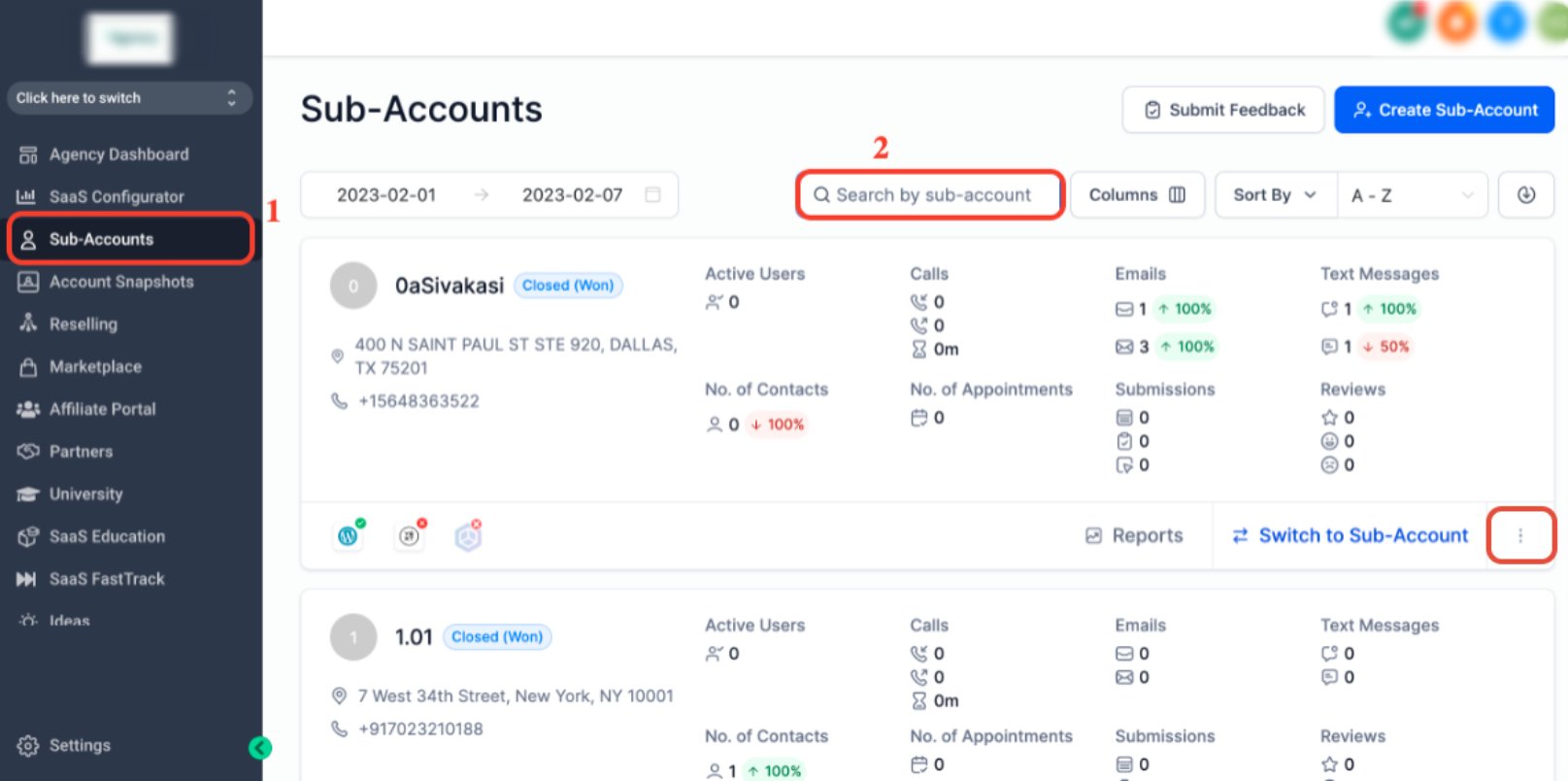
1. If the sub-account isn't in SaaS Mode already
Once you are in the agency view, click on Sub-Accounts > Search by sub-account
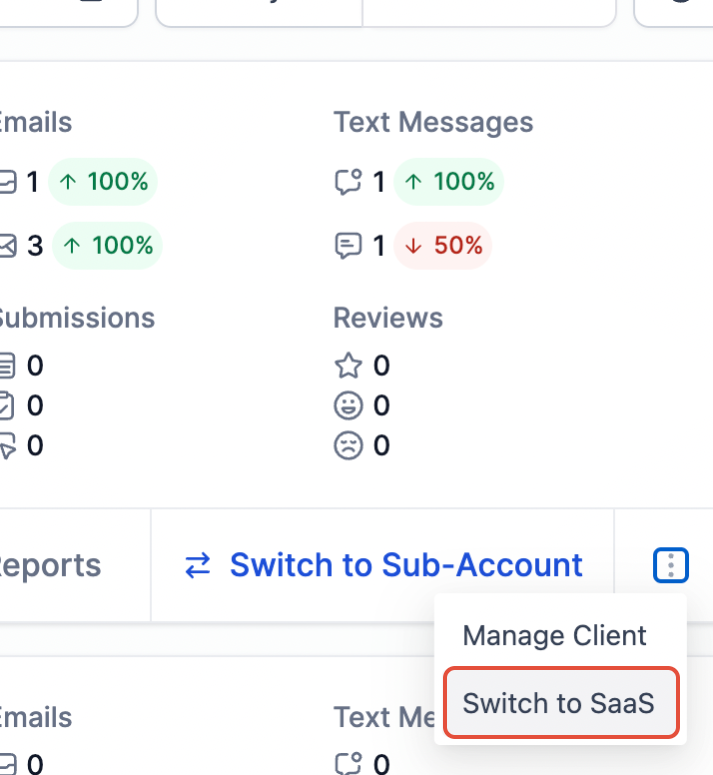
2. Click the three dots icon and select "Switch to SaaS"
3. Click on the sub-account Name OR click on the three dots at the bottom right to Manage Client

Use the slider to set the amount of markup you like to make and hit save!
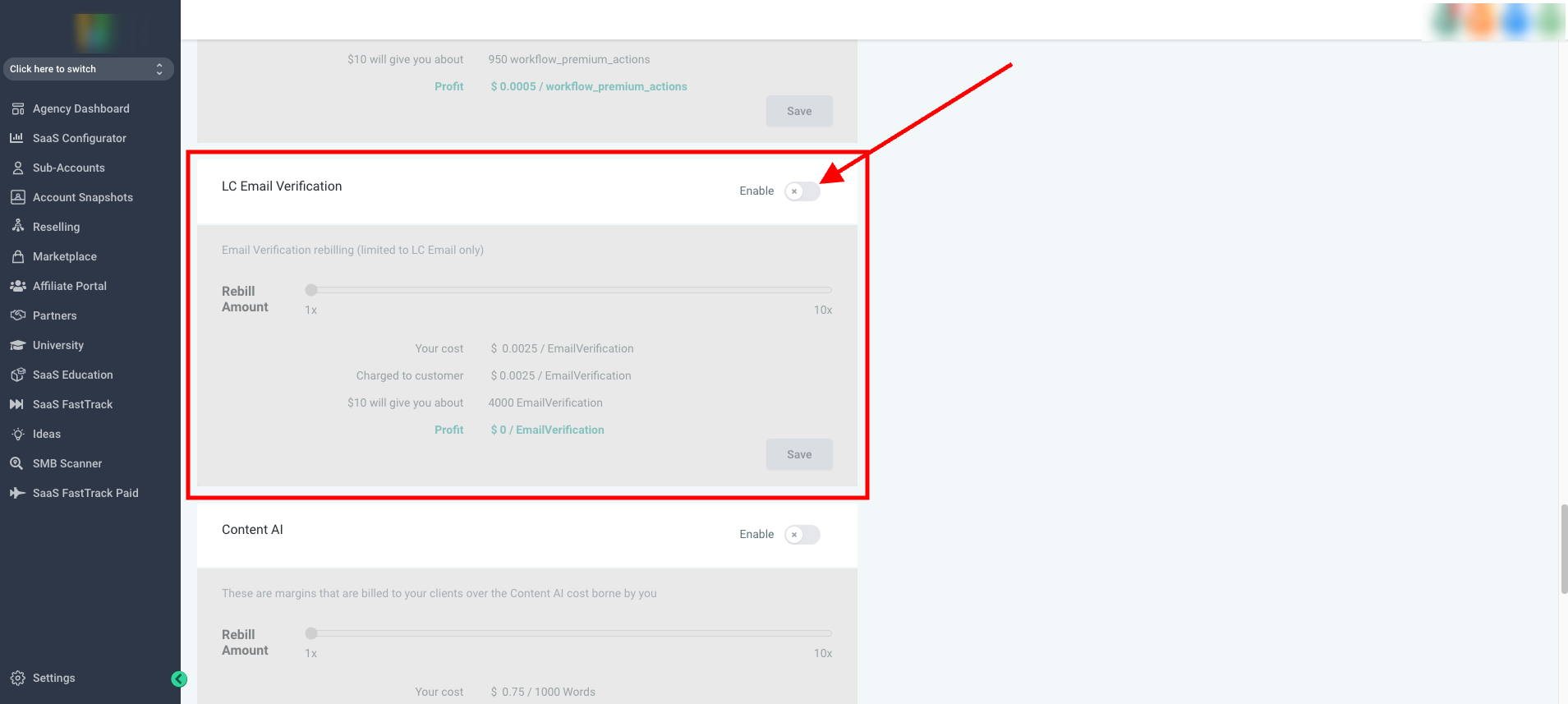
Email Validation Pricing
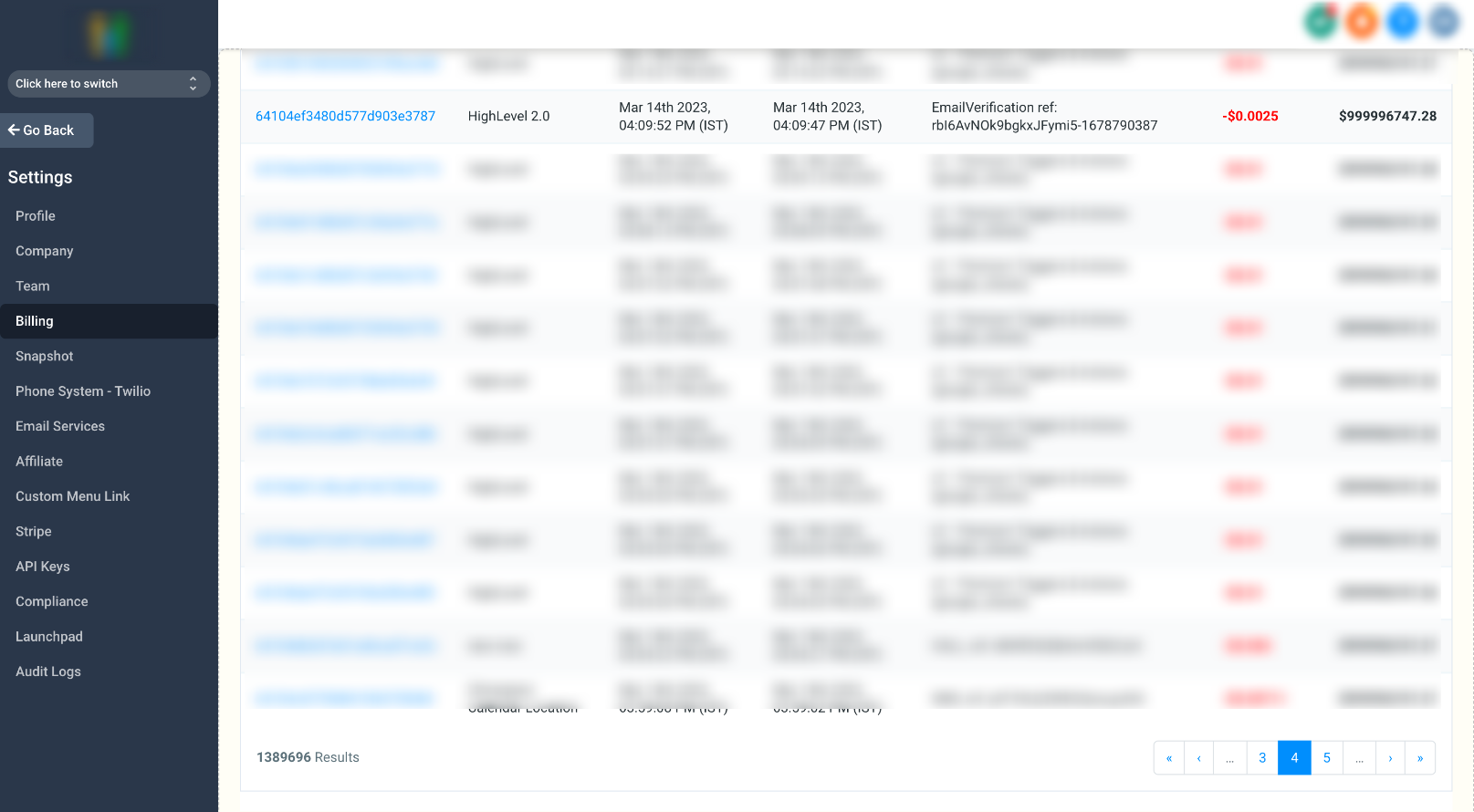
We charge $2.5 for 1000 Email Validations for all the plans at a lower cost than most major providers compared to $12/1000 with MailGun, which is 79% Cheaper.
Transactions to show what the email charges look like:
Agency view > Billing > Credits
How Email Validation works
- All the emails will be validated before sending the email if it's not validated before. There was an option to re-validate the email in 90 days. Before email sending, the validated date will be checked if it is validated before 90 days, re-validation will happen.
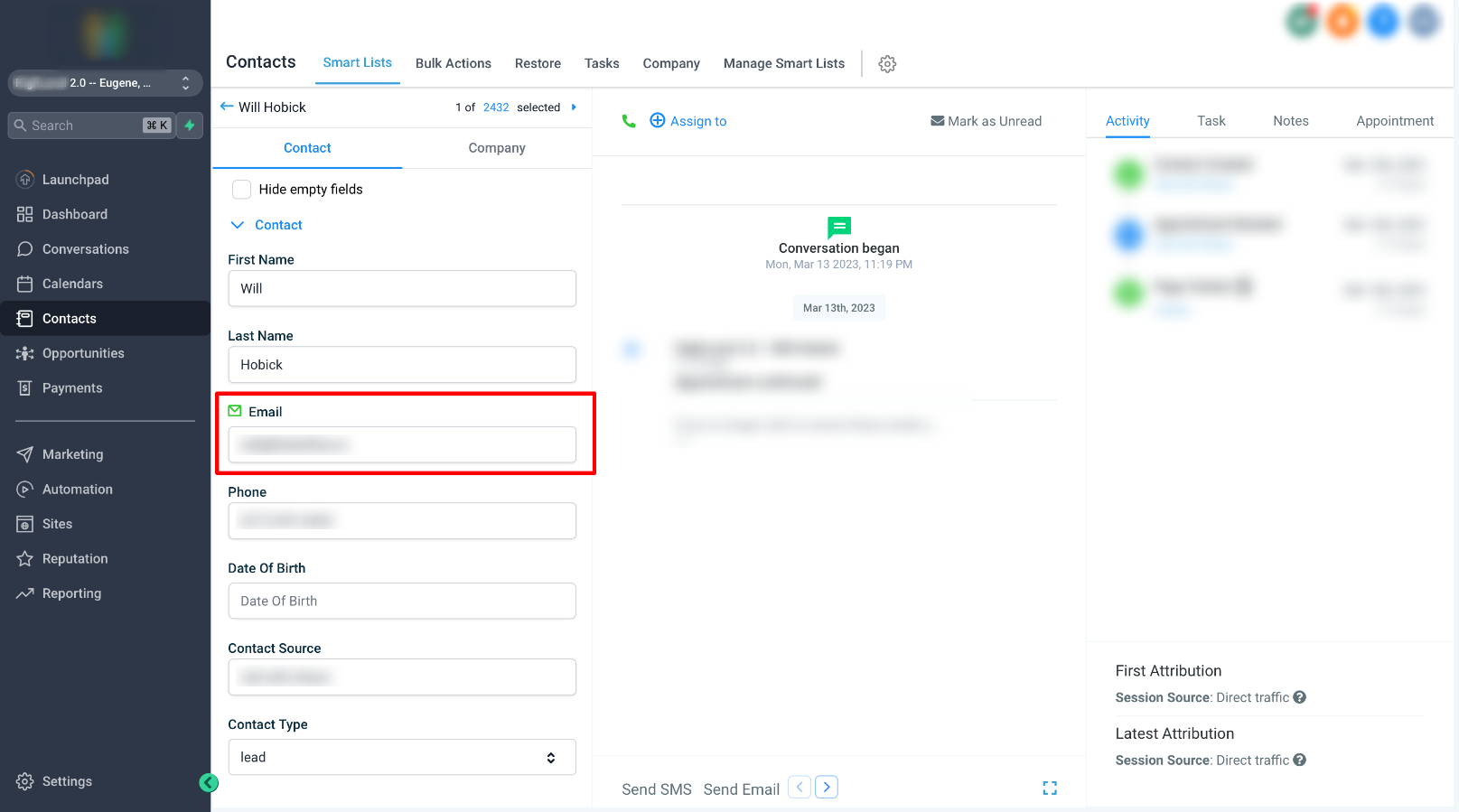
- On the contact detail page, the user can manually check
- Navigate into the contact record >scroll down the right side > click the envelope icon.
- Green = Valid
- Red = Invalid or Previously bounced. The error would specify why the Email is invalid.
FAQ
What does Email Validation check for?
- The email address syntax is correct.
- The domain is set up to receive email.
- The email address exists.
- The email address isn’t a high-risk address.
- The email address isn’t role-based, such as info@domain.com or admin@domain.com.
Why is Email Validation important?
Email Validation is important because it:
- Boosts your delivery rate by removing invalid email addresses.
- Maintains your mailing list hygiene by keeping your email list up-to-date.
- Improves your email marketing metrics like click-through rate (CTR), open rate, and click-to-open ratio (CTOR).
- Protects your sender's reputation.
How does Email Validation impact my email deliverability?
Email deliverability is highly impacted by bounced emails. Decrease email bounces by performing email Validation ahead of time.
Your IP address and domain reputation take a hit when your email service provider (ESP) can’t place your email into a subscriber’s inbox. This impacts future deliverability because email clients rely on IP and sender reputations to determine whether or not to deliver your messages. If you have a bad sender or IP reputation, email clients may decide to place emails sent from your domain name in your subscriber’s spam folder. Or, they may not deliver them at all.
When should I validate my email list?
If you’ve bought a mailing list (which we highly recommend that you don’t) or if you’ve inherited a mailing list you’re unfamiliar with. It’s a great idea to use an email verifier.
In addition, if your list has grown or it’s been some time since you last verified your email addresses, we recommend giving your mailing list a health check today.
Where can I see my client's email usage?
You can see the client's email usage by navigating to
- Agency Settings -> Billing -> See Details (under Credits)
How can I bill my clients for usage?
If you are on the Pro-plan, you can rebill your clients and save the time & effort needed to bill them manually.
Related Articles
How to Enable and Rebill Content AI?
Content AI helps you create social posts and blogs, write copy for sites, and generate appealing emails with the power of Ai. In addition, you can rebill the costs to your clients even with markup! How do I enable content AI? To enable Content AI, ...Email Two Way Sync
Email Two Way Sync is a feature that allows the synchronization of emails between two different platforms, such LANA software and an email client, in both directions. Any email sent, received, or updated in one platform is automatically synced with ...Enable Sound / Popup Notifications
To Enable sound/popup notifications in LANA simply do the following steps: Step 1. Click view recent activities on the far left. Step 2. Click settings. Step 3 Check the following boxes: Play sounds Show bubbles Show unread count Step 4 Enable push ...How to Use SMS and Phone Number Validation
LANA may have SMS validation enabled, allowing the system to check phone numbers for you at the time of SMS sending. If activated, LANA will check Twilio Lookup (which charges per lookup) to see if the number is a landline and then LANA won’t send ...How to Disable and Enable Calendar Service
This tutorial will teach you how to disable and enable calendar services. Maybe you have a service that you typically offer such as a 30 minute consultation or a demo, and you want to temporarily disable that calendar because you're not offering it ...